iOS 7 Browser Current Version: 1.6
Requires Android: 2.2 and up
Category: Entertainment
v1.6 update:
If you like the app please comment and give a plus 
Version 1.6
● Now you can switch between mobile and desktop more easily
● Added an exit button (also you can close the app by long pressing the back button)
● You can now open files from the notification bar after a download
● Various optimizations
● Fixed some bugs
● If you find a bug or want to translate please contact me by email
Overview:
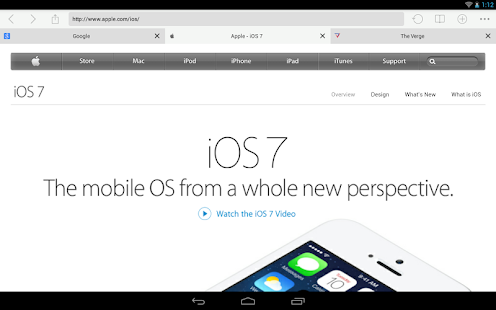
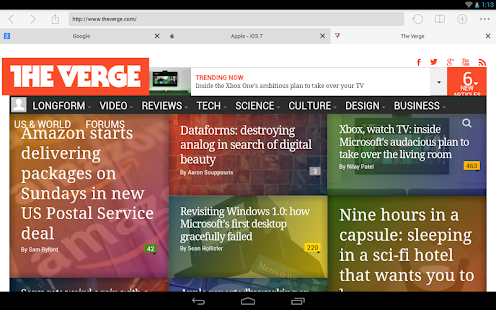
iOS 7 Browser is an awesome browser that looks like designed for iOS 7.
Features:
● Supports Android 2.2+
● Tabbed Internet Browsing
● Incognito Mode
● Supports Adobe Flash Player (get it here http://forum.xda-developers.com/showthread.php?t=2139513)
● Fast Start Times
● Uses the Native JavaScript and WebKit Engine so file size is smaller
● Bookmarks
● Small Footprint
● Full-screen mode
● Google, DuckDuckGo, StartPage, Yahoo, Bing, and other search engines
Enjoy Ios 7 Browser, one of the smallest, fastest Android web browsers around. It is a high-performance small-sized Internet browser built for those who don’t want the cumbersome size of Firefox or Chrome. It is based off the Android WebKit Engine.
Navigation Tips:
● Long-press the back button to exit the browser
● Long-press a link to open in a new tab
● Don’t forget to look into settings for other stuff!
Permissions Explanation
● INTERNET and ACCESS_NETWORK_STATE – Obviously needed to access the internet 
● WRITE_EXTERNAL_STORAGE and READ_EXTERNAL_STORAGE – Needed for downloading files
● ACCESS_FINE_LOCATION – Needed for sites that want your location (you can deny location access)
● READ_HISTORY_BOOKMARKS – Needed for reading the stock browser history
● WRITE_HISTORY_BOOKMARKS – Needed for keeping the stock browser history up to date
● INSTALL_SHORTCUT – Needed for adding to the home screen the current page you are visiting
Download via Google Play:  iOS 7 Browser 1.6 on Google Play Download :
  Download iOS 7 Browser 1.6 Download iOS 7 Browser 1.6 [mirror]